
You can keep a whole bench of setups and mix them for each task.
Keep as many Koubou termRoleWho the AI should be for a task. It holds a voice, rules, good and bad examples, attached knowledge, and, if you want, its own model., Koubou termArtifactFacts you reuse, like a product sheet, a bio, or your pricing. Each detail has its own on and off switch., Koubou termSmart PromptA saved instruction you run with one click. It can bring a Role with it, and variables that pull in your selected text or the whole document., and Koubou termBlueprintA saved format for AI output, like the sections of a case study or a product update. as you like. Put them together differently for each job, and swap any one of them without touching the rest.
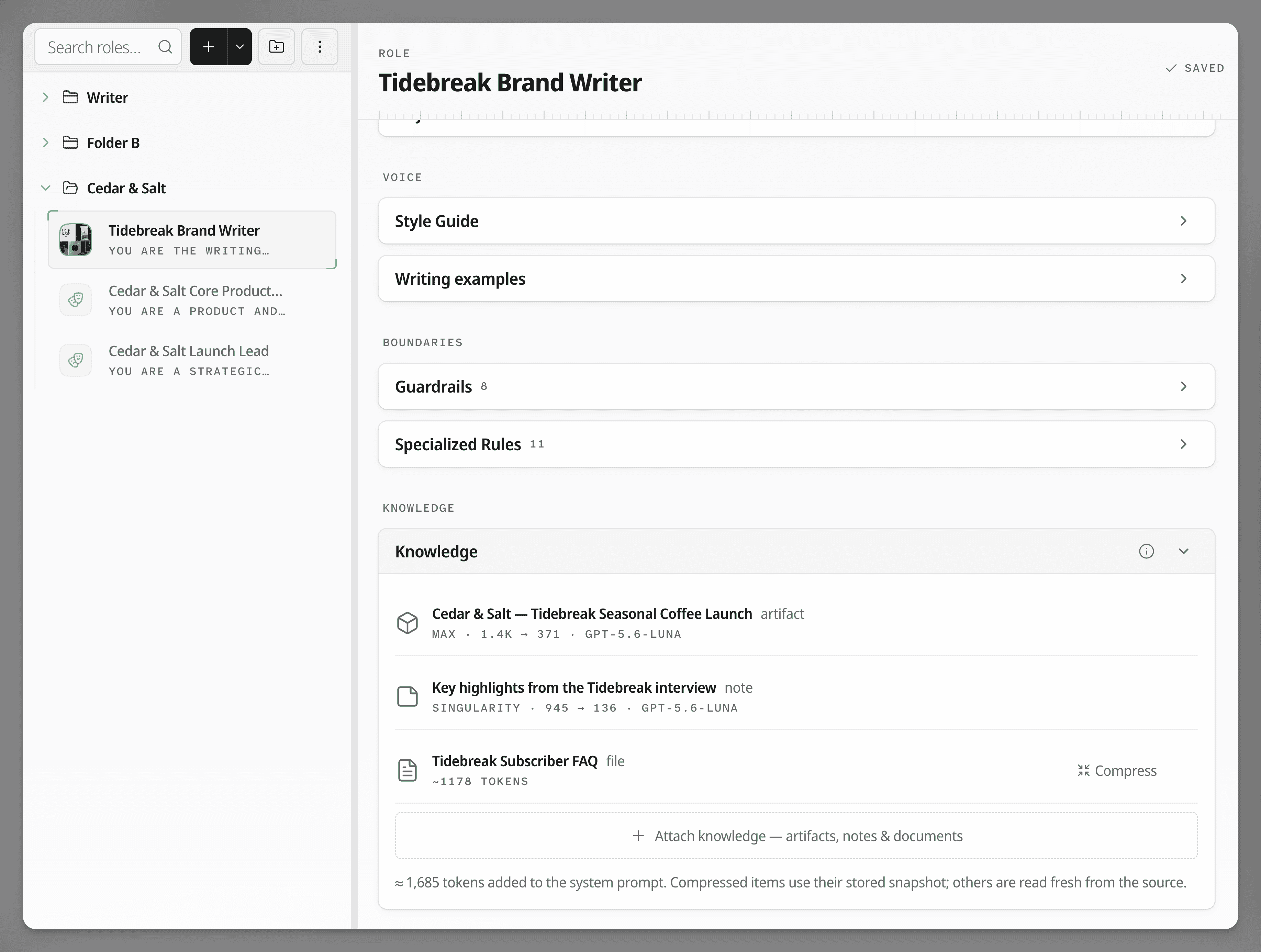 View full screenshot
 Real work needs more than one voice.
You might write a newsletter as yourself, a product page in your brand's voice, and a client report in theirs. Some days you want a blunt editor. Other days you want a gentle one.
When every piece is separate, you can combine them any way you like. The same product facts can go into a launch email with your brand Role, then into a sales reply with a different Role. Change the facts once, and both get the new version.
How it works in Koubou.
Build pieces as you need them
Each piece is short and does one job. A Role for voice, an Artifact for facts, a Blueprint for format, a Smart Prompt for a task you repeat. There is no limit on how many you keep.
Sort them your way
Put pieces in folders and name them the way you think about your work, by client, by publication, or by kind of job.
Choose what each task gets
Attach a Role and Artifacts in the Write tool, or save the combination as a Smart Prompt so it is one click next time.
Swap or override any piece
Change the Role, switch an Artifact off for this prompt, or pick another model for one run. The saved pieces stay as they are.
One paragraph, two editors
Monday
- Smart Prompt
- Tighten this
- Text
- Your selected paragraph
- Role
- Blunt Editor
- Model
- The Role's model
Friday
- Smart Prompt
- Tighten this
- Text
- Your selected paragraph
- Role
- Friendly Copyeditor
- Model
- Changed for this run only
Compared with ChatGPT and Claude.
In ChatGPT or Claude
- ChatGPT has one custom instructions box that applies to everything.
- Each Custom GPT or Project holds its own instructions and files. To use one Project's instructions with another's files, you copy them over, and now there are two versions to keep in step.
In Koubou
- Every piece is its own item, and any task can use any of them.
- Combine any Role with any Artifacts, Blueprint, and model.
- Edit a piece once, and everything that uses it gets the change.
Get Koubou for $99.
Pay once, with no subscription. AI usage is billed by your provider, not by Koubou. If it is not right for you, you have 14 days to get a full refund.