
You can use as many AI models as you want.
There is no single model you have to live with. Each Koubou termRoleWho the AI should be for a task. It holds a voice, rules, good and bad examples, attached knowledge, and, if you want, its own model. can have its own model, each step in a Koubou termWorkflowA chain of steps you build on a canvas. It can stop and wait for you to review, answer, or approve before it goes on. can use a different one, and you can change any of them for a single run.
 View full screenshot
 Different jobs need different models.
Models are good at different things. One writes beautifully but is slow and expensive. Another is fast and cheap and fine for fixing typos. A third runs on your own computer. Good work often uses more than one.
Most chat apps make the model a choice you make per conversation, by hand. In Koubou the model belongs to the job. Set it once on a Role or a step, and the right model runs every time.
Where you choose a model.
On a Role
Give a Role its own model, and every Smart Prompt that uses the Role runs on it. Your "careful editor" Role can use your best model while your "quick fixes" Role uses a cheap one.
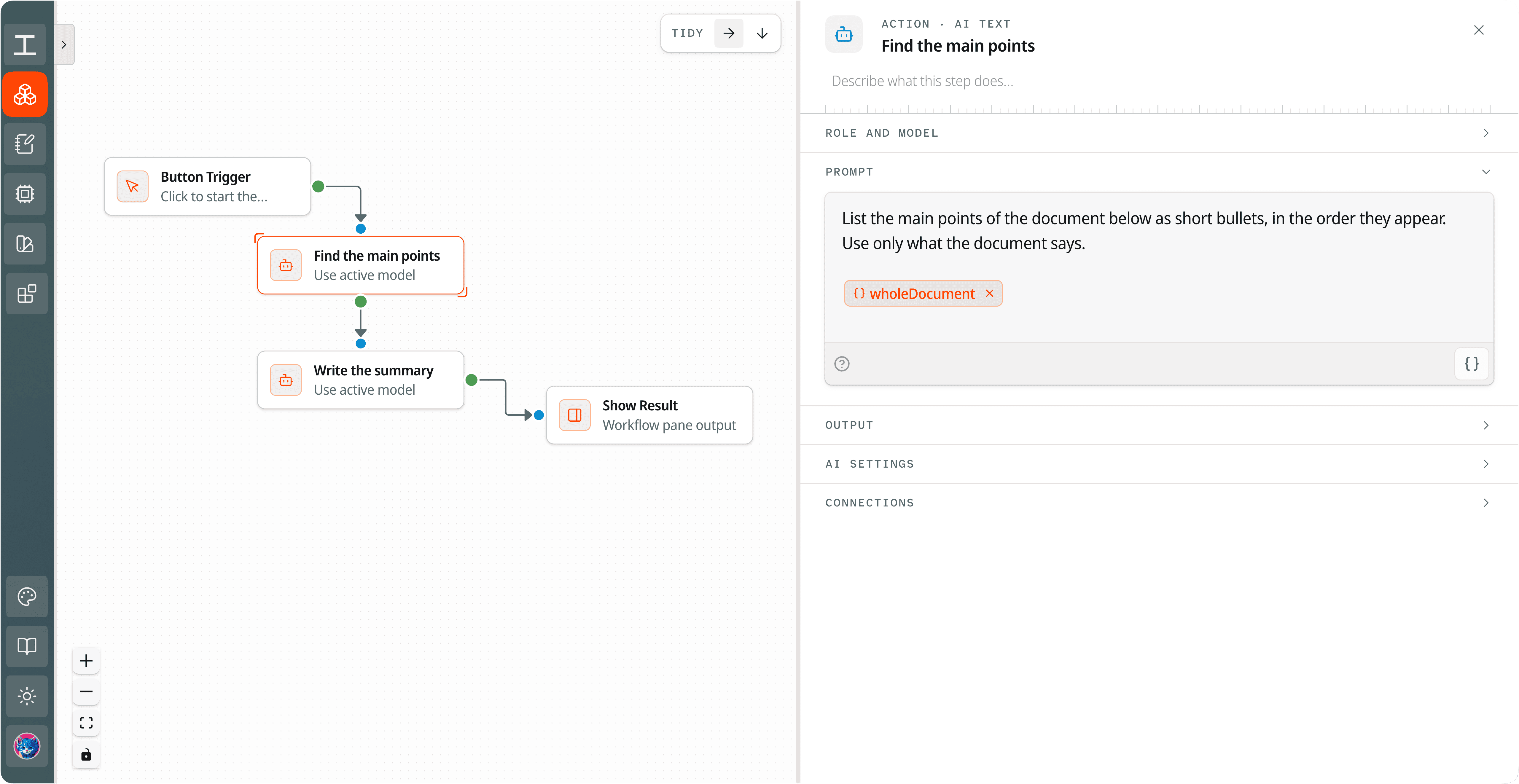
On each Workflow step
Every AI step in a Workflow has its own model setting. If the step uses a Role that has a model, the Role's model runs.
For images and Sketches
Image generation and Sketches have their own model settings, apart from the model that writes your text.
For a single run
The model chip in the Write tool swaps the model for what you run next. Reset it and you are back on the Role's model.
Everywhere else
Anything that does not name a model uses your Koubou termActive modelThe model Koubou uses when nothing else names one., which you can change at any time.
One Workflow, three models
Step 1 Find the main points
- Role
- None
- Model
- A fast, low-cost model
Step 2 Write the summary
- Role
- House Voice
- Model
- The Role's model, your best writer
Step 3 Trim to 150 words
- Role
- None
- Model
- A local model through Ollama
Compared with ChatGPT and Claude.
In ChatGPT or Claude
- You can switch models inside a chat, but only among that company's models.
- You switch by hand, each time, and have to remember which job needs which model.
- A saved Custom GPT or Project cannot say "use this model for this step and that one for the next."
In Koubou
- Each Role, Workflow step, and kind of task can name its own model.
- Models from many companies side by side, plus local ones.
- Set it once. The right model runs each time without you thinking about it.
Get Koubou for $99.
Pay once, with no subscription. AI usage is billed by your provider, not by Koubou. If it is not right for you, you have 14 days to get a full refund.